Common Pain Points of Traditional Backup & Recovery
Cloud Solutions
Geo-Redundancy & Disaster Recovery
Operational disruptions bring not only massive financial losses but also serious damage to brand reputation. When hardware fails, people make mistakes, natural disasters strike, or ransomware hits, enterprises need more than a plan. They need a tested, automated, and cloud-powered disaster recovery system.
High Build & Operations Cost
Requires offsite data center space, duplicate hardware, and high cooling and power costs , enormous upfront capital expenditure.
Resource Waste & Inflexibility
Backup equipment sits idle under normal operations with very low utilization. Storage capacity and backup frequency are constrained by existing hardware with no elastic scaling.
Slow Recovery Speed
Traditional tape backup read/write speeds are too slow. When disaster strikes, lengthy data recovery times cannot meet business SLA requirements.
Security Blind Spots
Without proper encryption in transit or a robust firewall and perimeter defense, data transfers become a security vulnerability.
Core Strategy
The 3-2-1 Golden Rule & Tiered Disaster Recovery
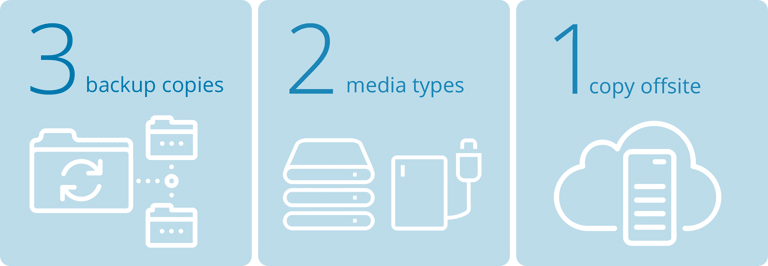
The 3-2-1 Backup Rule
Maintain 3 copies of data across 2 different storage media types, with 1 copy stored in a remote cloud environment, ensuring rapid recovery from any physical damage.
Flexible Disaster Recovery Tiers Based on RTO/RPO
Design the most appropriate backup architecture based on business criticality:
Backup & Restore
For lower-priority systems: store backup data in the cloud and rebuild the environment only when disaster strikes. Lowest cost.
Pilot Light
Keep only core data synced; compute resources remain dormant. Activate and scale cloud resources only during a disaster, balancing cost and speed (RTO/RPO within tens of minutes).
Warm Standby
Maintain a scaled-down, always-running system in the cloud. During a disaster, take over critical workloads within minutes.
Multi-site Active/Active
For the highest-tier critical systems: zero downtime and near-zero data loss.
Three Backup Scenarios Based on Cloud Adoption Level

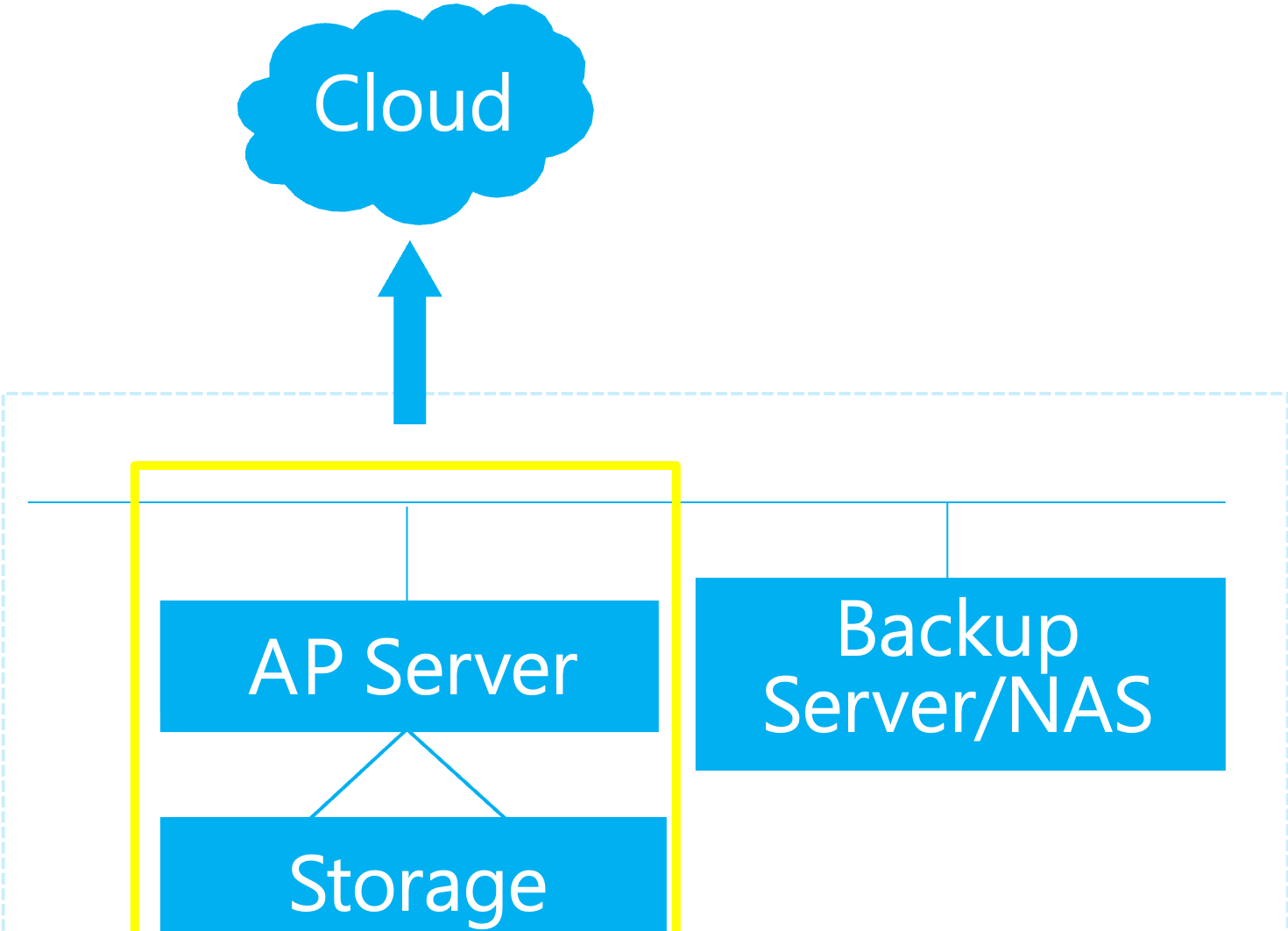
Data to Cloud
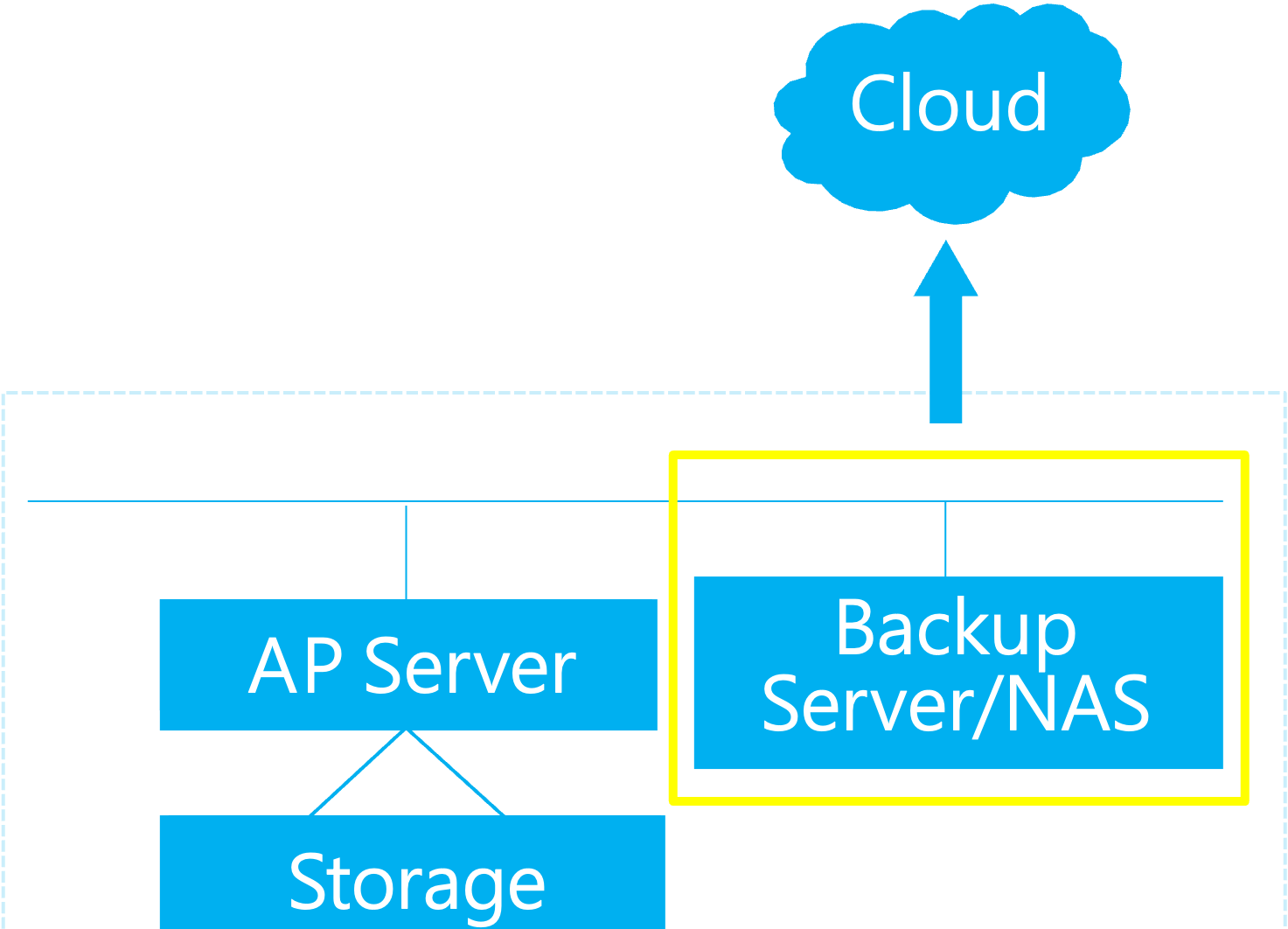
Back up data to the cloud to meet the 3-2-1 backup architecture
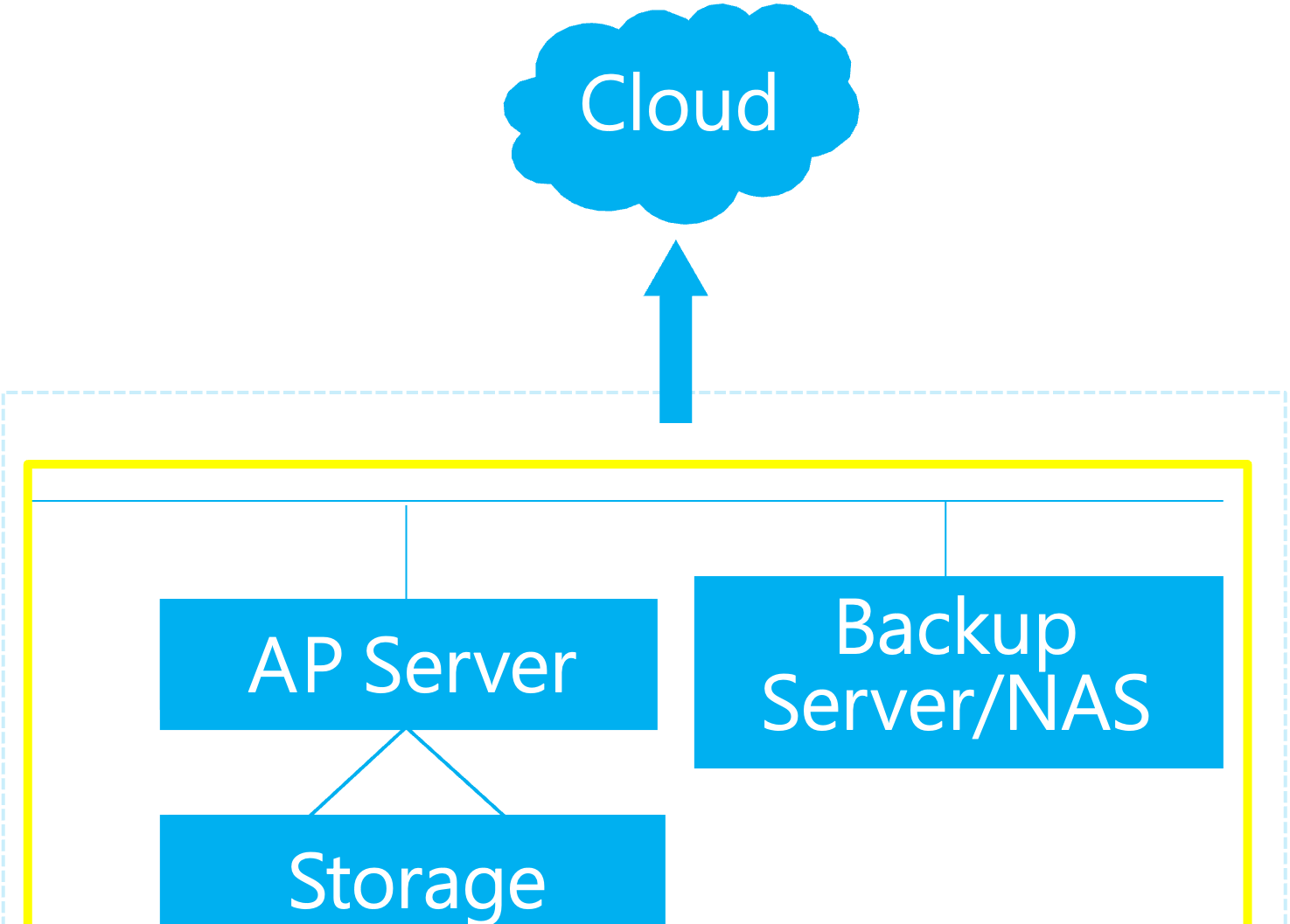
Services to Cloud / Backup
Move some systems and external-facing services to the cloud to ensure BCP continuity
Full Infra / Data Center Migration
Combines data and service cloud benefits, plus security, digital transformation, and ESG advantages
Solution Architecture & Technical Highlights

Continuous Block-level Replication
Using a lightweight agent, continuously replicate on-premises servers (OS, applications, and data) to the cloud at the block level, encrypted and compressed, ensuring minimal data loss.

Seamless Cloud-to-Ground Storage Gateway Integration
Deploy a storage gateway on-premises so local applications can seamlessly read and write cloud storage. Provides low-latency local cache while securely uploading data to the cloud in the background.

Intelligent Lifecycle & Cost Control
Automatically set lifecycle policies based on data access frequency (hot, warm, cold/archive), moving cold data to ultra-low-cost archival storage tiers to dramatically reduce long-term retention costs.
Business Value & Adoption Benefits
Convert capital expenditure to operational expenditure, making disaster recovery a business enabler, not a burden.

Significantly Reduce TCO
Eliminate data center space, hardware maintenance, and warranty costs. Pay-as-you-go cloud model requires no upfront idle resource provisioning.

Ultimate Security & Compliance
Data in transit and at rest is fully encrypted, compliant with ISO, GDPR, PCI DSS, and other international and industry certifications.

Global Scalability & High Reliability
Globally scalable with fault tolerance. Data can be stored across multiple availability zones (cross-region redundancy), achieving up to 99.999999999% data durability.
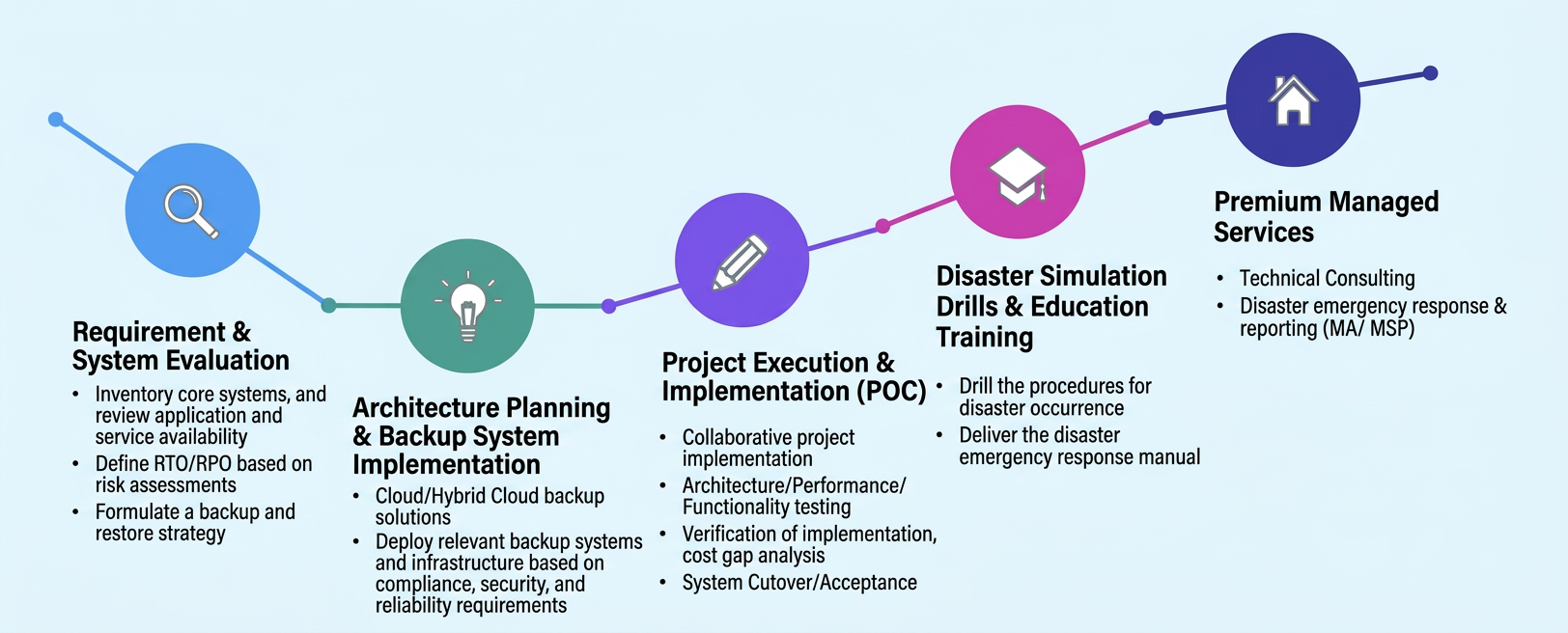
Advisory Onboarding & Disaster Recovery Drill Process
Netron Information Technology provides end-to-end technical support to ensure your backup and recovery mechanisms are absolutely reliable when it matters most.
Requirements & System Assessment
Inventory core systems and application service types. Define precise RTO (Recovery Time Objective) and RPO (Recovery Point Objective) based on enterprise risk assessment.
Architecture Planning & Project Execution
Plan secure cloud/hybrid cloud network connectivity (e.g., VPN direct connect), deploy replication mechanisms, and perform initial data synchronization.
Project Execution & Build (POC)
Joint project execution
Architecture / Performance / Functional Testing
Validate implementation and cost alignment
Go-live cutover / User acceptance
Disaster Recovery Drills & Training
Deliver a complete disaster emergency runbook; regularly assist with failover and failback drills to validate data consistency and system availability.
Comprehensive Managed Services
Technical consulting
Disaster emergency response and escalation (MA / MSP)
Disaster Recovery Checklist
Which systems/services need to be backed up? (e.g., DB, Web, ERP)
What is the current system architecture — VMware / Hyper-V, or containers (K8s / Docker)?
What are the primary OS and versions? What database types/versions are in use?
Approximate data volume? Monthly data growth rate?
Are RPO/RTO already defined? RPO in minutes/hours? RTO in minutes/hours?
Available outbound bandwidth on-premises — Mbps/Gbps?
Which AWS region for backup? Is cross-region or cross-country coverage required?
Are there compliance requirements (FSC, PDPA, ISO, GDPR, etc.)?
What backup/replication tools are currently in use? (Veeam / Commvault / native snapshots)
How many DR drills are planned per year? Are drill reports or certification documents required?
Do you need managed services (monitoring, patching, on-call support) or self-managed operations?